Skip to content
super.AI home

AI that learns to process your hardest documents

Drop a document and tell super.AI what you need from its AI document processing software.

What does your team push paper for?

Trusted by teams at

  • Visa
  • Saint-Gobain
  • Bureau Veritas
  • CHI Cargo
  • Nory
  • Waterstones
  • Reprise Financial
  • Equity Trust
  • Puma Investments
  • E.B. Archbald and Associates (SSI)
  • WorkWise Compliance

Customers

Trusted by Industry Leaders Across the Globe

  • Bureau Veritas
    80%

    Cost savings on data entry expenses

  • CHI Cargo
    92%

    Reduction in human review hours

  • Nory
    500+

    Layouts and languages processed

3 simple steps

From a single document to a production workflow

Start with an example document and describe the workflow. You can add a review step for your team to check the output.

  1. 1

    Show the work

    Drop a document and describe what you need extracted. Invoices, contracts, claims, dispatch notes. Even the messy, hand-corrected, multi-page kind.

  2. 2

    super.AI builds the workflow

    The agent picks the right models, structures the output, and surfaces every decision it made: the model used, the prompt, the routing logic. Fully editable.

  3. 3

    Run and review

    Run the workflow. At a configured Human Review step, the run pauses so your team can check and correct the output. It continues with the reviewed values.

Talk it out, ship it

Build production flows by having a conversation

Drop a document, describe what you need, and super.AI builds the flow alongside you. Extracting fields on the spot, then wiring triggers, filters, and integrations as you iterate.

Describe, don’t draw

Plain-language requirements become a real flow with executors, schemas, routing logic, and validators wired up.

Iterate by talking back

“Skip page 2 if it’s blank.” “Add a field for tax ID.” super.AI updates the flow in place. No merge, no rebuild.

Ship the conversation

The chat thread is the changelog. Every flow has the conversation that built it attached. Audit-ready by default.

See it in motion

From a raw document to structured data

Watch super.AI read the page, decide what's important, and write back clean structured fields. Every decision the agent makes stays inspectable.

Sync extracted data straight into the tools you already run. Explore our ERP and document integrations, or read engineering deep dives on the super.AI document automation blog.

Why super.AI

Built for the messy documents your team actually gets

Inspect the workflow and give your team a place to check extracted data before it moves downstream.

See every decision the agent made

Every classification, every extraction, every routing call is inspectable on the canvas. No black box. Review the model used, the prompt, the confidence, and the alternatives.

Built for real-world documents, not clean samples

Mixed-language invoices, multi-page contract packs, hand-corrected forms, low-quality scans, tables with merged cells. Trained on the messy real world, not a clean benchmark.

Review and correct outputs

Add a Human Review step so assigned reviewers can check and correct the results before the run continues.

Use cases

Where super.AI Delivers Value

CHI Cargo
Before super.AI we could only get through about 50% of our documents. Now we process 100% quickly, accurately, and with confidence.

Milfat Mendoughe

Milfat Mendoughe, IT Project
Manager

CHI Cargo

Download the case study

Explore more customer case studies from teams automating documents with super.AI.
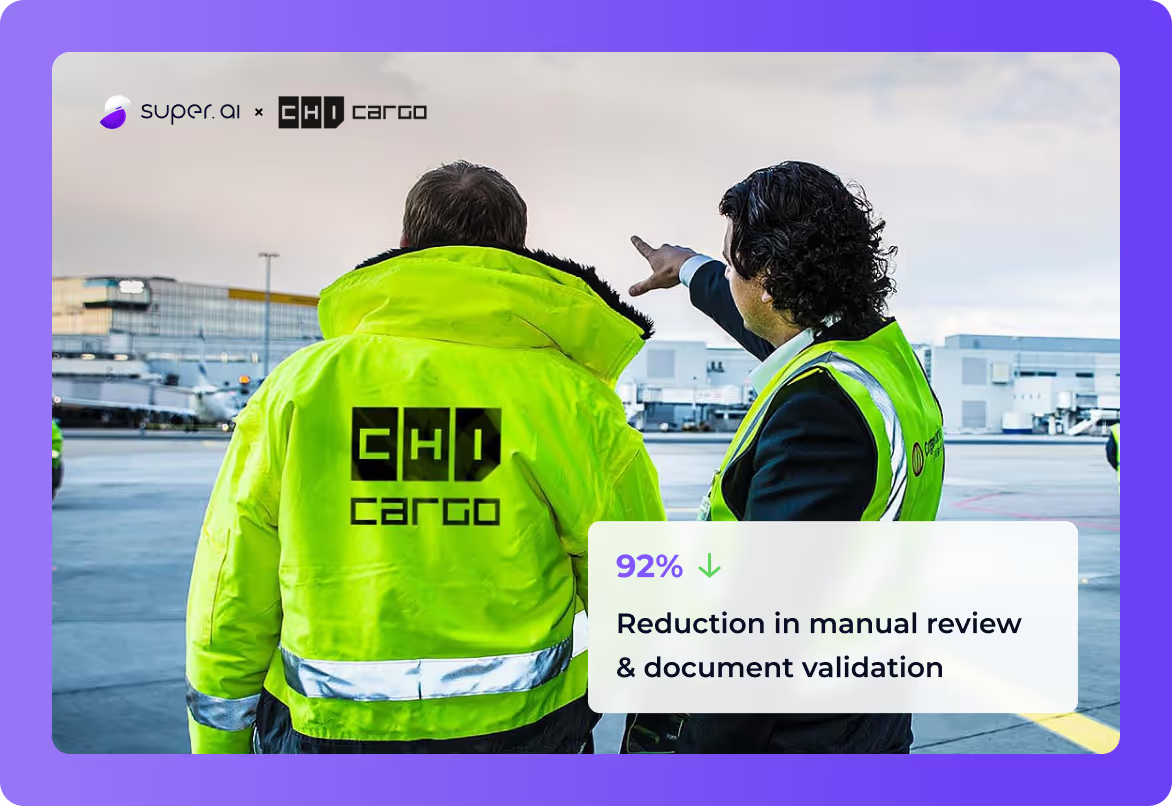
Two CHI Cargo staff in high-visibility jackets on an airport apron, with the super.AI and CHI Cargo logos and a case study callout about manual review and document validation

Enterprise ready

Production-ready by design

Auditable. Secure. Built to plug into the systems your team already uses.

Deterministic by design

Every flow is a visual graph you can inspect, edit, branch, version, and roll back. No surprise behaviour in production.

  • Visual builder: drag, edit, reorder
  • If/else branches and loops
  • Versioning and rollback

Secure credentials

Secrets live in an encrypted vault scoped per organisation and per workflow. MFA flows are supported during runs.

  • KMS-backed encryption at rest and in transit
  • Per-org and per-workflow scopes
  • TOTP, SMS, and email MFA

Audit & compliance

Every run logs every step. Full execution history with screenshots and inputs. Exportable for compliance reviews.

  • Step-by-step execution logs
  • Full audit trail
  • Scheduled reports and alerts

Plugs into your stack

REST APIs, webhooks, S3, Drive, email, databases. Trigger flows from anywhere and deliver results wherever your data lives.

  • REST + webhook triggers
  • Email and storage integrations
  • Direct database write-back

FAQ

What people ask before they start

Type what you need or drop a real document into the box at the top of this page, then press Get started. You create an account with your email (a sign-in link is sent, no password needed) and land directly in a chat with the super.AI agent, which builds your first workflow from the document and instructions you provided. Free to start, no credit card, no sales call.

PDFs, scanned images, photos, emails, and Office documents, including the hard cases: mixed-language invoices, multi-page contract packs, hand-corrected forms, low-quality scans, and tables with merged cells. Typical workflows cover invoices, purchase orders, bills of lading, customs entries, insurance claims, and any custom document type you define.

No. You describe the workflow in plain language and the super.AI agent picks the models, structures the output, and wires up triggers and integrations. Every decision it makes stays inspectable and editable, and you refine the workflow by talking to it without code or an IT project.

When a flow reaches a configured Human Review step, it pauses so your reviewers can check and correct the extracted values. The flow continues with the reviewed values. Accuracy depends on your documents, so test the workflow on your own files.

Yes. Workflows are deterministic, versioned, and roll-backable; credentials live in a KMS-backed encrypted vault scoped per organisation and per workflow; every run keeps a step-by-step audit trail; and results are delivered through REST APIs, webhooks, email, storage, and direct database write-back.

No. The SOC 2 Type II report, Trust Center access and contractual security commitments apply to Enterprise customers only. Self-service and Growth accounts are governed by the Self-Service Terms of Service, which make no SOC 2 commitment, and they do not receive the report. SOC 2 coverage is an Enterprise plan feature.

Ready when you are

Drop a document. See what super.AI does with it.

Free to start. No credit card. The agent walks you through your first run.