By the super.AI team
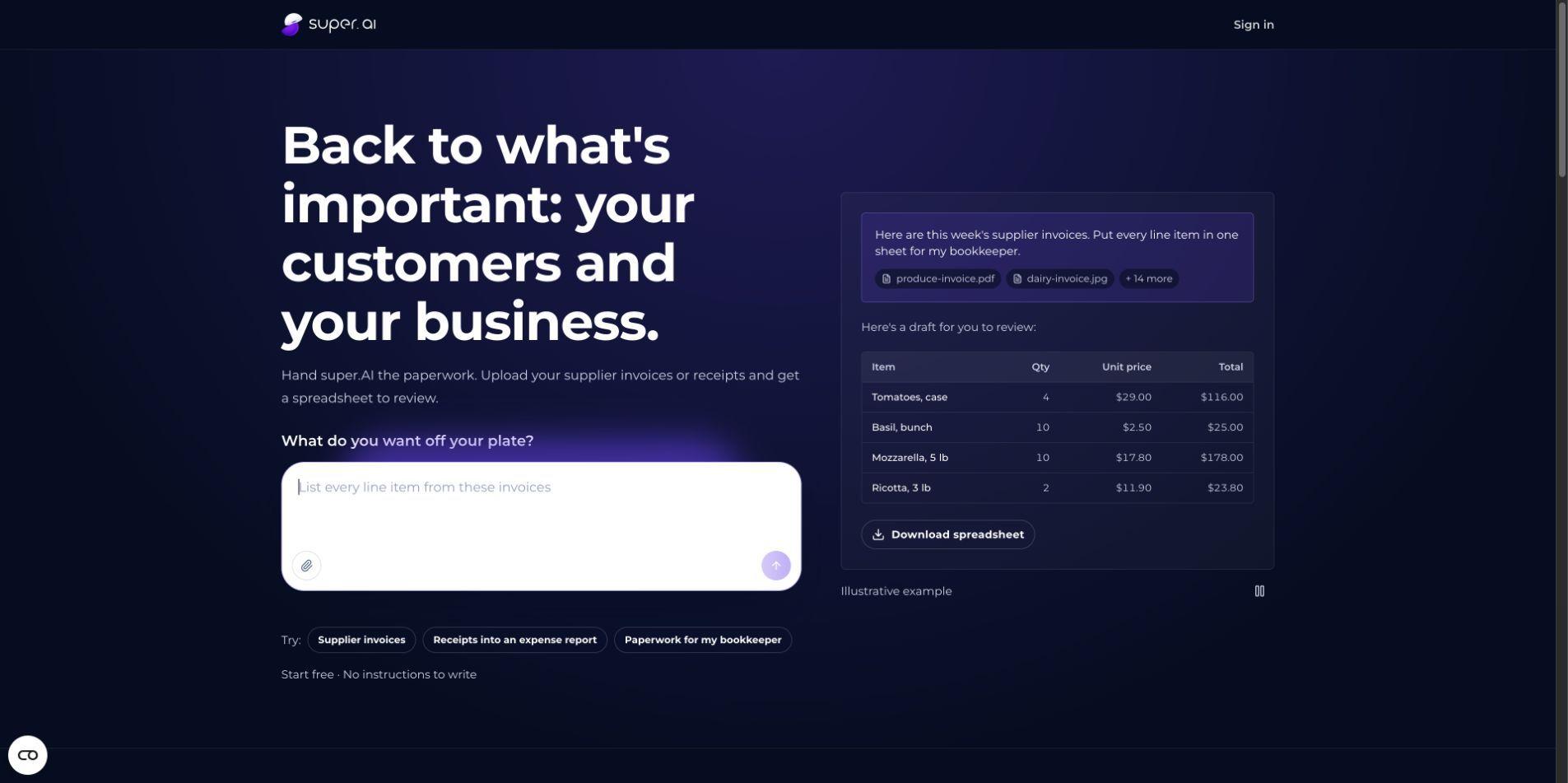
A supplier invoice comes in as a PDF. A receipt is a photo on your phone. Your bookkeeper needs both in a spreadsheet. Super Chat is the new super.AI Chat interface for that kind of work. Pick a task or describe what you need, attach your files, and check the draft before you download it.
It’s a way to start with AI document automation for the paperwork already on your desk. Think about the spreadsheet you’d otherwise build by hand, including the columns you need and the values you want to double-check. That’s the job to give Chat.
On the Super Chat start page select Supplier invoices to start with an example request. Attach an invoice PDF or a photo. If you already know what your bookkeeper needs, edit the request before you submit it.
Put one invoice line item on each row. Include the supplier, invoice number, date, item description, quantity, unit price, and line total. Flag anything you can’t read clearly.
Line by line matters. If an invoice includes tomatoes, basil, and mozzarella, an invoice total is useful for payment, but separate rows are what let you see what you bought. In the invoice example on the start page you can see how those rows look and download a sample CSV to open in Excel or your usual spreadsheet tool.
Before sharing your own spreadsheet, compare a few rows with the original invoices. Check quantities, unit prices, and whether tax and delivery charges need their own columns. If you need a fuller field list for a recurring process, see our invoice data extraction guide.
Select Receipts into an expense report when you’re working with receipts and bills. A useful first pass for receipt data extraction is one row per receipt with the vendor, date, purchase description, tax, and total. Ask for a separate note on unclear amounts, then check them against the originals.
For a mixed batch, try Paperwork for my bookkeeper. Ask for the document type and source filename as columns so you can find the original when your bookkeeper has a question. If your bookkeeper already has a template, use its column names.
Pick a job with a clear output, such as this week’s supplier invoices or last month’s receipts. Run a small batch and see whether the result fits the spreadsheet you already use. For invoices, start with two suppliers that lay out their prices differently. You’ll have something concrete to check before handing over more paperwork.
Try Super Chat free with one invoice or receipt.
Invoice and PDF data extraction often reads the text right and still gets the data wrong. Here are the failure modes to watch for and how to test a tool on your own files.

See how Flows automates document workflows using AI agents and validation—moving beyond OCR to auditable, compliant automation.

Explore how AI-powered document processing delivers measurable ROI through cost savings, operational efficiency, and improved compliance in oil & gas.